Workflows and operations 6 min read Apr 14, 2026

Recover Safely After a Failed SophMate Workflow Run

Use SophMate run history, audit events, approval status, and kill switches to investigate a failed workflow without creating duplicate or unsafe follow-up actions.
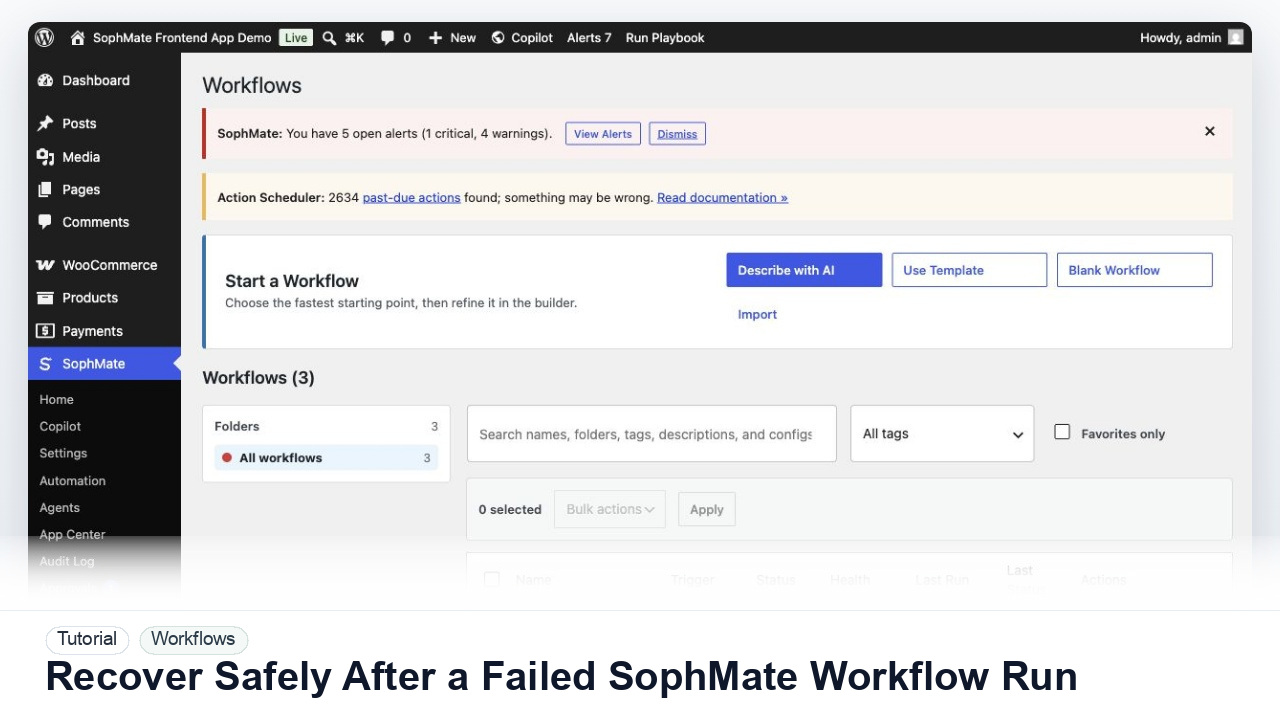
SophMate tutorial image for Recover Safely After a Failed SophMate Workflow Run showing the related wp-admin workflow context.

Outcome

By the end of this tutorial, you will know how to use SophMate for SophMate workflow failure recovery while keeping the work reviewable inside WordPress.

Scenario

A scheduled workflow failed during a campaign week, and the operations lead needs to understand whether anything changed before re-running it.

Buyer evaluation note

Use this tutorial to evaluate failure recovery. The important product signal is whether SophMate preserves run IDs, affected records, audit events, retry scope, and duplicate-action risk before anyone restarts workflow execution.

When not to use this workflow

  • Do not retry a failed workflow when earlier steps may already have changed products, coupons, messages, settings, or external services.
  • Do not edit the workflow before preserving the failed run, audit chain, affected records, and duplicate-action risk.
  • Do not use this workflow to bypass the normal owner, reviewer, or approval path for production changes.
  • Defer the workflow when the source data, permission boundary, rollback owner, or customer impact cannot be explained.

Example operator request

Review this failed workflow run before anyone retries it. Identify completed steps, affected records, failed step, duplicate-action risk, audit evidence, and the narrowest safe retry path.

What the image shows

The tutorial image shows Workflows so the reader can connect the plain-English workflow idea to triggers, templates, run history, and health checks.

Before you begin

  • Preserve the failed run, trigger, affected records, approval state, audit events, and any partially completed steps before retrying anything.
  • Identify who owns the retry decision and whether duplicate customer messages, coupon changes, product edits, or external calls could occur.
  • Confirm SophMate is active, diagnostics do not show blocking failures, and the current user role can open the relevant SophMate module.
  • Check provider, budget, privacy, and approval settings before asking SophMate to draft or execute work.
  • Keep customer data, API keys, purchase codes, and private credentials out of prompts unless this workflow explicitly requires and permits that context.

Access and data boundary

  • Give the incident owner access to the failed run, affected records, approval state, and audit events, but avoid broad record exports until duplicate-action risk is understood.
  • Preserve exact run IDs, timestamps, and changed-record references; redact customer, payment, credential, and private payload details before escalation.
  • Use the least-privileged SophMate role that can complete the review, and keep administrator-only access limited to setup, provider, billing, diagnostics, and high-risk approval work.
  • Prefer record IDs, short excerpts, and redacted screenshots over full customer records, payment details, provider keys, purchase codes, or raw server logs.

Guardrail

Start with notification and summary outputs before enabling write actions or unattended execution.

Common mistakes to avoid

  • Retrying a failed workflow before checking whether earlier steps already changed data.
  • Editing the workflow immediately without preserving the failed run details and error context.
  • Re-running a broad workflow after fixing one symptom but before testing a narrow retry.

Step 1: Open the failed run first

Go to Workflows and inspect the failed run details, step output, artifacts, cost estimate, trigger, and error message before editing the workflow.

Step 2: Check whether any step wrote data

A failed workflow may still have completed earlier read or write steps. Use approval status, action plans, and audit events to confirm what happened.

Step 3: Pause risky workflow execution

If the workflow can affect products, coupons, customer messages, or settings, pause the workflow or related workflow path while the failure is investigated.

Step 4: Fix the cause before retrying

Address missing inputs, provider limits, permission errors, stale Knowledge Base sources, invalid tool schemas, or external service failures before running again.

Step 5: Re-run with a narrow scope

Use a single record, test segment, or manual trigger for the first retry. Avoid retrying a broad workflow until the team knows whether duplicate actions are possible.

Review checklist

  • Run history explains the failed step.
  • Audit records confirm whether any data changed.
  • The retry scope is narrow and approved.

Production readiness

  • Run the first version in staging, simulation, notification-only, or read-only mode before enabling write behavior.
  • Confirm trigger, owner, run history, retry behavior, kill switch, and failure notification path.
  • Run the workflow first on a narrow, low-risk record or page before expanding scope.
  • Confirm the reviewer, approval rule, and evidence location before any production-changing action runs.

Failure modes to test

  • Test a failed step after partial completion, a retry that would duplicate work, a missing input, a provider limit, and a permission or tool-schema error.
  • Confirm the workflow can be narrowed or paused before any broad retry is allowed.
  • Test the path where the user lacks permission, required context is missing, or the reviewer rejects the result.
  • Confirm the failed state leaves an audit record, visible owner, and clear next action instead of a silent or ambiguous outcome.

Success signal

The workflow is successful when the first run is observable, expected artifacts are produced, costs are understandable, failures have owners, and write actions stay behind approval until proven safe.

Post-run monitoring

  • Review first-run artifacts, failures, retries, duplicate prevention, alert noise, cost, and owner response time.
  • Watch queued, running, and scheduled states before adding write actions or increasing scope.
  • Review the audit log, diagnostics, and affected WordPress records shortly after the first run.
  • Record any confusing output, missing source context, permission issue, cost spike, or reviewer correction before repeating the workflow.

Safe expansion criteria

  • First-run history shows expected output, manageable alert volume, known cost, and clear failure handling.
  • Write actions remain disabled or approval-gated until simulation and owner review pass.
  • The first run has a documented owner, evidence, review result, and stop path.
  • A second operator can repeat the workflow from the notes without relying on hidden context.

Rollback or stop path

Stop retries until the failed step, affected records, completed actions, and audit state are understood. Resume only with a narrow retry scope and a named owner.

What to document

Document the workflow name, run ID or timestamp, trigger, failed step, completed steps, affected records, approval state, audit events, and retry scope. This makes duplicate-action risk easier to assess before anyone runs the workflow again.

Owner and cadence

The workflow owner should review failed runs as soon as they are noticed. For production workflows that affect customers, products, coupons, or messages, review failures before any retry or broad re-enable.

Escalate when

Escalate when a failed workflow may have changed customer-facing data, repeated after retry, consumed unusual budget, exposed a tool validation problem, or left unclear audit records.

Common questions

Should the first workflow write production data?

Usually no. Start with read-only, staging, notification-only, or approval-gated behavior until trigger scope, owner response, failure handling, and run history are proven.

Does this workflow remove the need for human review?

No. SophMate should make the work easier to draft, inspect, approve, and repeat. Human review remains necessary when output affects customers, money, published content, privacy, settings, or workflow execution.

What should be documented before expanding the workflow?

Record the owner, input scope, access boundary, approval point, failure modes tested, evidence location, monitoring window, and rollback or stop path.

Next action

Decide whether to retry, revise, or retire the workflow only after the affected records, completed steps, duplicate-action risk, and audit trail are clear.

Next step

Bring this workflow into your WordPress site

Review the SophMate listing for current package details, screenshots, compatibility notes, and license terms.

View on CodeCanyon

Related

More from Workflows and operations

Pro